
Extension for Adobe Premiere Pro
Helmet Marker
Select and edit markers in bulk in Premiere Pro. One Ctrl+Z undoes it all.
FreeVersion 1.0.0
About
Helmet Marker is a panel to select and edit markers in bulk, something Premiere Pro doesn’t do on its own.
Every bulk operation becomes a single step in Premiere’s history, so one Ctrl+Z undoes all of it.
Features
- Lists the active sequence’s markers with timecode (drop-frame aware), name, comment, color, type and duration. One click moves the playhead to the marker.
- Selection with click, Ctrl+click and Shift+click; select all, invert, or just what comes before or after the playhead.
- Filters by text, color, type, duration and the sequence In/Out.
- Bulk edit of color, name, comment and type, or delete with confirmation. Before applying, the panel shows how many markers will change.
- Move the selected markers by a few frames or seconds, or move a group of markers to the playhead keeping their spacing.
- Find and replace in names and comments, plus automatic numbering ("Scene 01, Scene 02…").
- Double-click a name or comment to edit it right in the list.
- Marker templates and saved selections per sequence.
- Import from a pasted list, CSV (including Premiere’s own), SRT, EDL or JSON, with a preview, or create a marker on every cut.
- Export YouTube chapters, CSV, a review list, plain text or JSON.
- Copy markers to another sequence and bring clip markers into the sequence (and the other way around).
- Color legend, to remember what each color means.
- Panel in English or Portuguese: switch under Language / Idioma, in the top right corner. Your choice is saved.
Screenshots
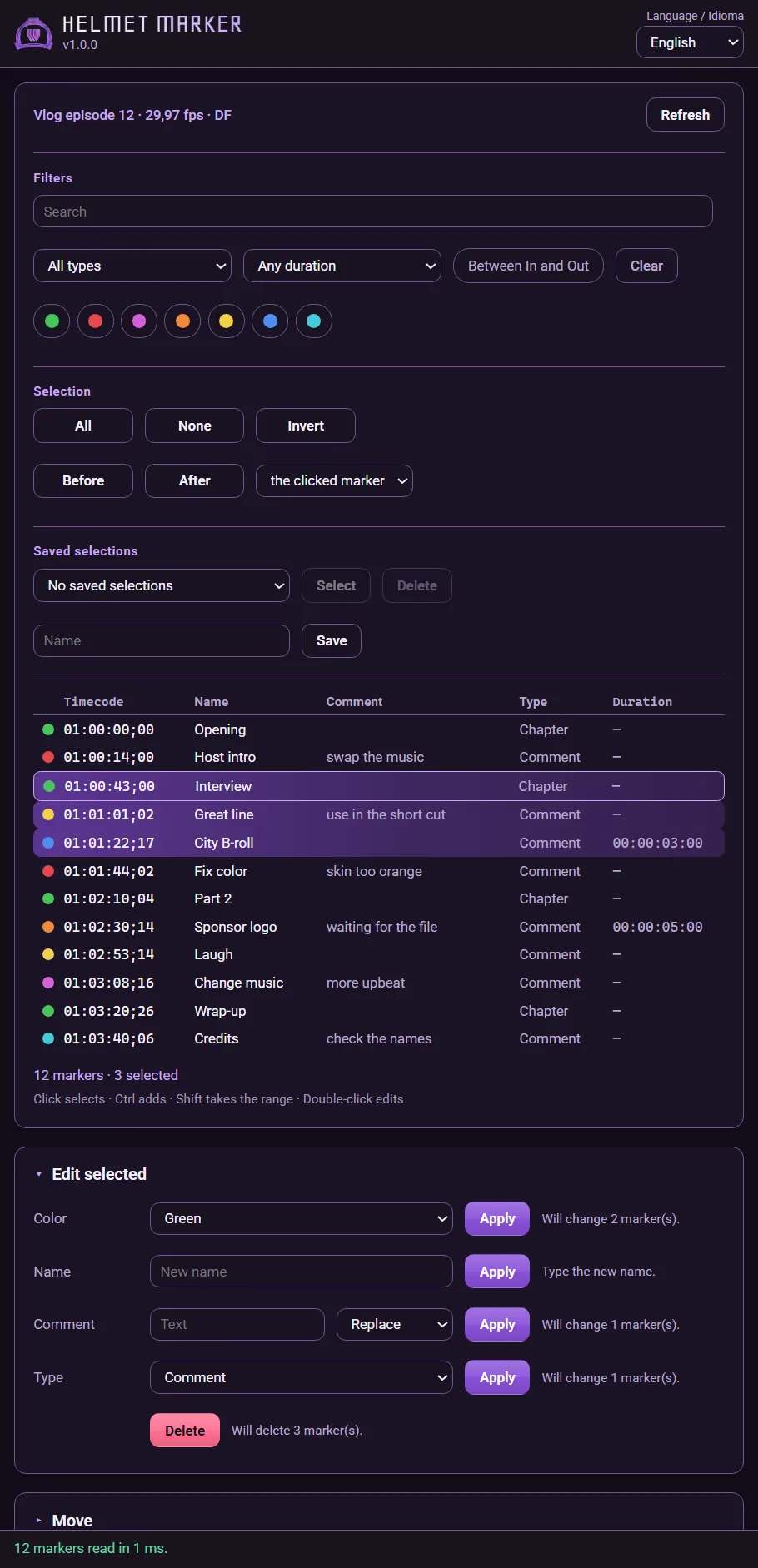
Panel: marker list with filters and bulk editing