
Windows app
Helmet Desk
Notes, tasks, calendar, personal finances and social media content in one place, for Windows. Everything is stored on your computer.
FreeVersion 1.2.0
About
Nothing is sent to servers. The app only uses the internet to check for updates and to fetch the title and icon of links you add to notes.
Your data is written straight to disk, and when the app opens it keeps a copy for the day (at most one a day, and only if something changed). The 5 newest are kept, so if you delete something by mistake you can go back to one of them.
Uninstalling does not delete your data: if you install it again, everything is right where you left it. To move everything to another PC, export a backup in Settings → Data and import it there.
Features
- Today: a daily overview with pending items, planned hours, overdue tasks and a quick-add field that understands natural language ("Review the script tomorrow at 2pm 1h30").
- Notes and tasks: checklists, date, time, priority, time estimate, colored labels, attachments and links shown with the site’s title and icon.
- Calendar: the whole month with each day’s items. Double-click a day to create a task.
- Finances: manually entered transactions, accounts and credit cards, installments, recurring entries, categories and statistics with charts. Nothing connects to your bank.
- Content: a pipeline for social media creators. Each piece moves through five stages (Idea, Recording/writing, Editing, Scheduled, Published), with colored channels, followers per channel, a publish date and notes. It is optional: turn it on in Settings → Content.
- On the desktop: sticky notes and a task-list widget.
- Reminders: a notification at the set time, a tray icon and an option to start with Windows.
- Backup: export and import a .zip with all your data (content included) and attachments, verified before restoring. The app also keeps daily copies of your data on its own (the 5 newest).
- Currency: finance amounts are shown in Brazilian real (R$), US dollar (US$) or euro (€), your choice.
- Two themes: the dark Classic theme and Violet Aero, with purple glass over an aurora background and glossy gel buttons. To switch, go to Settings → General → Theme; the app restarts on its own and none of your data changes.
- Two languages: English and Brazilian Portuguese.
- Automatic updates: tells you when a new version is ready and installs it in one click.
Screenshots
Classic theme
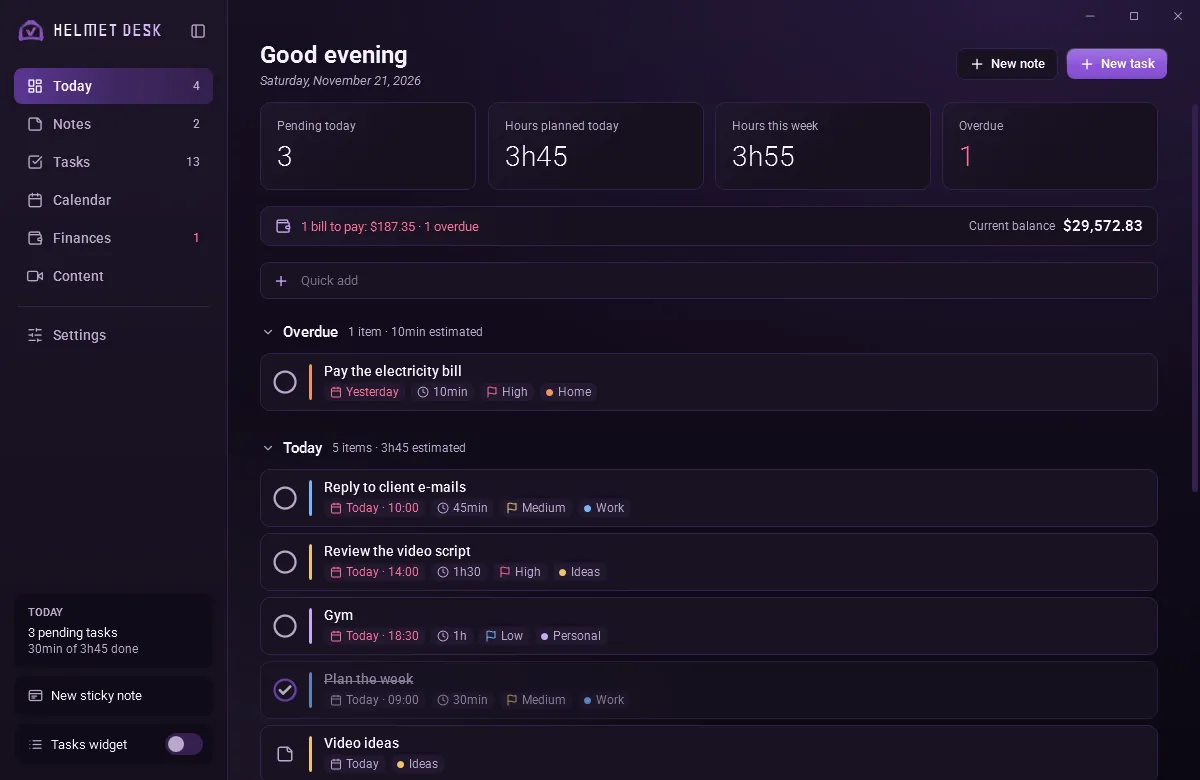
Today screen: daily overview and quick add 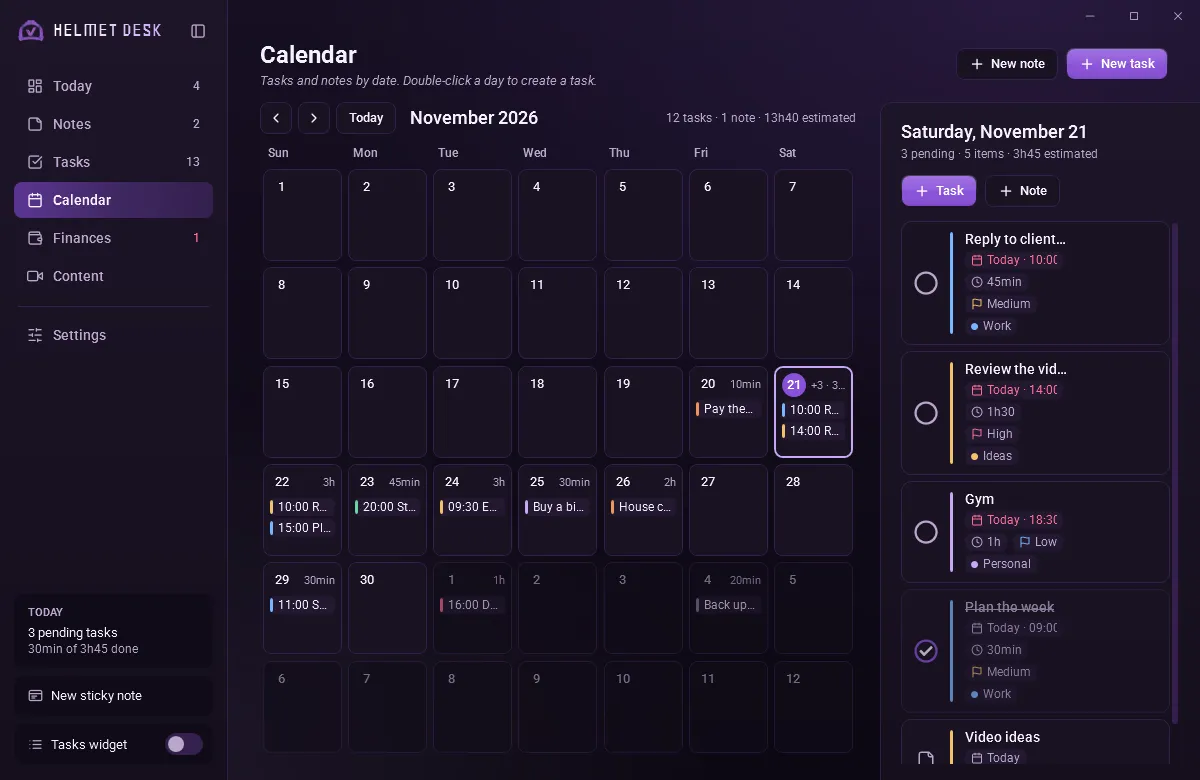
Calendar with each day’s items 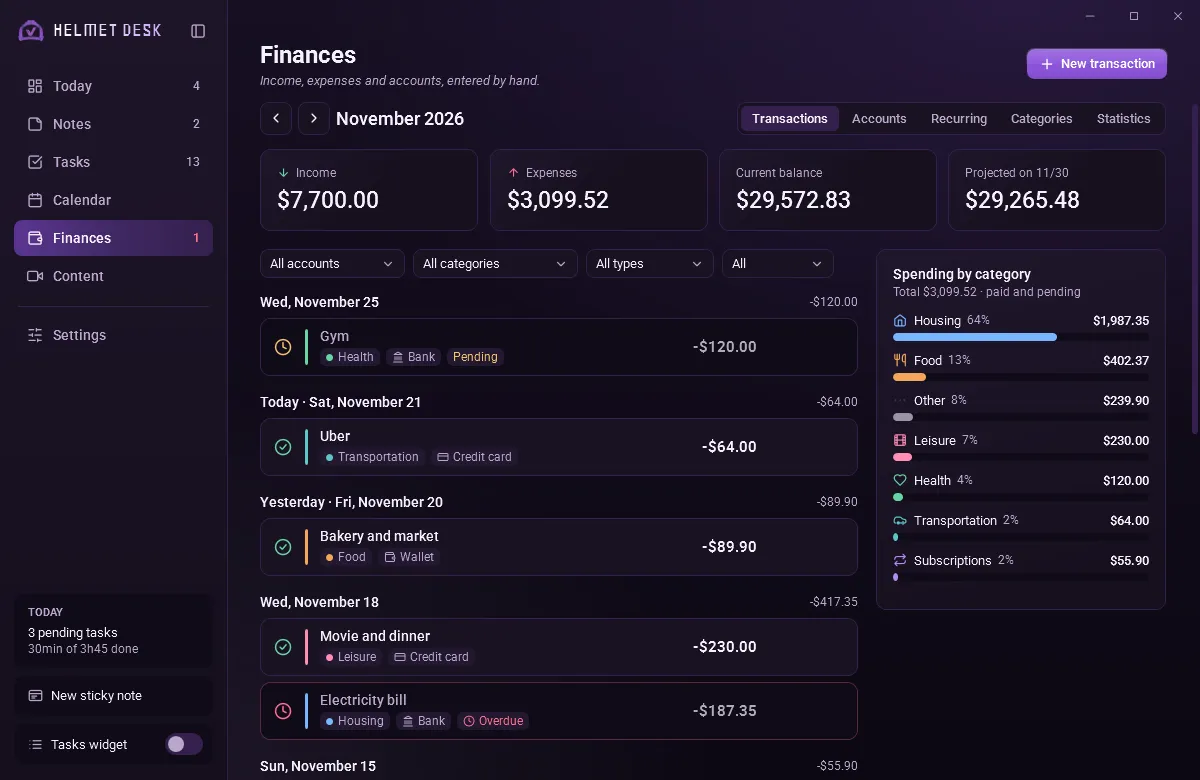
Finances: transactions, accounts and cards 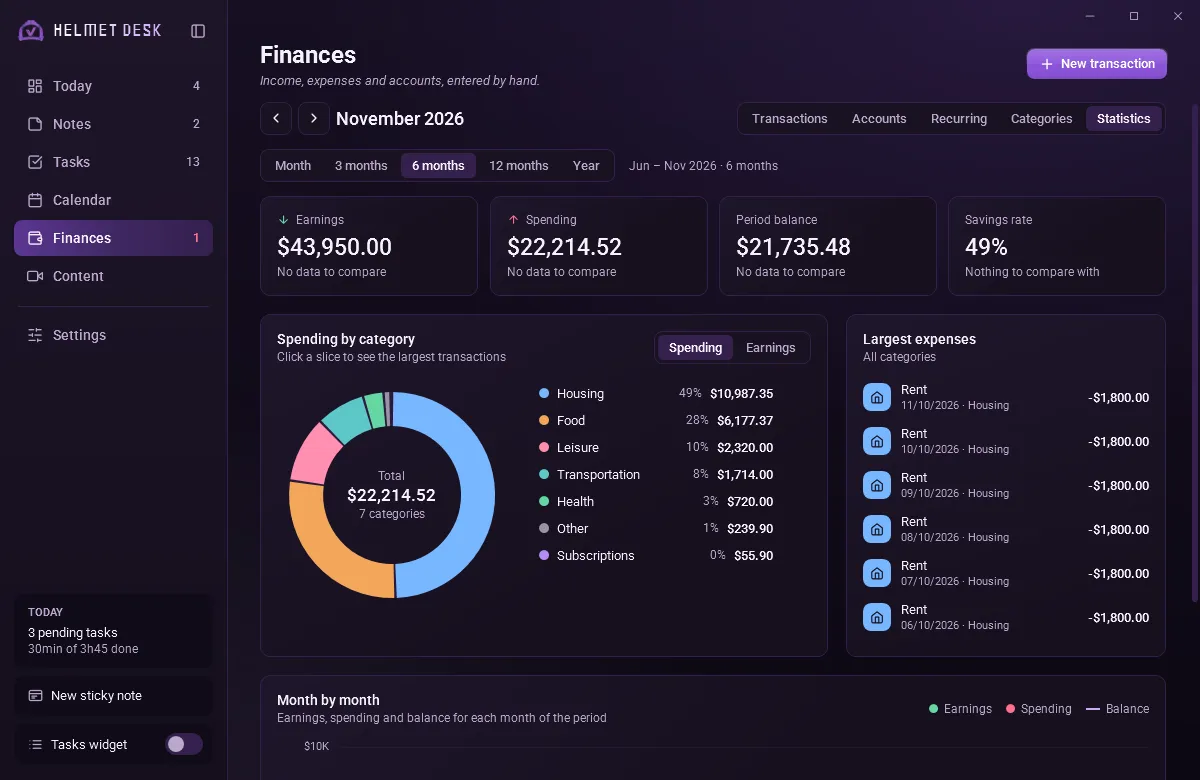
Finance statistics with charts 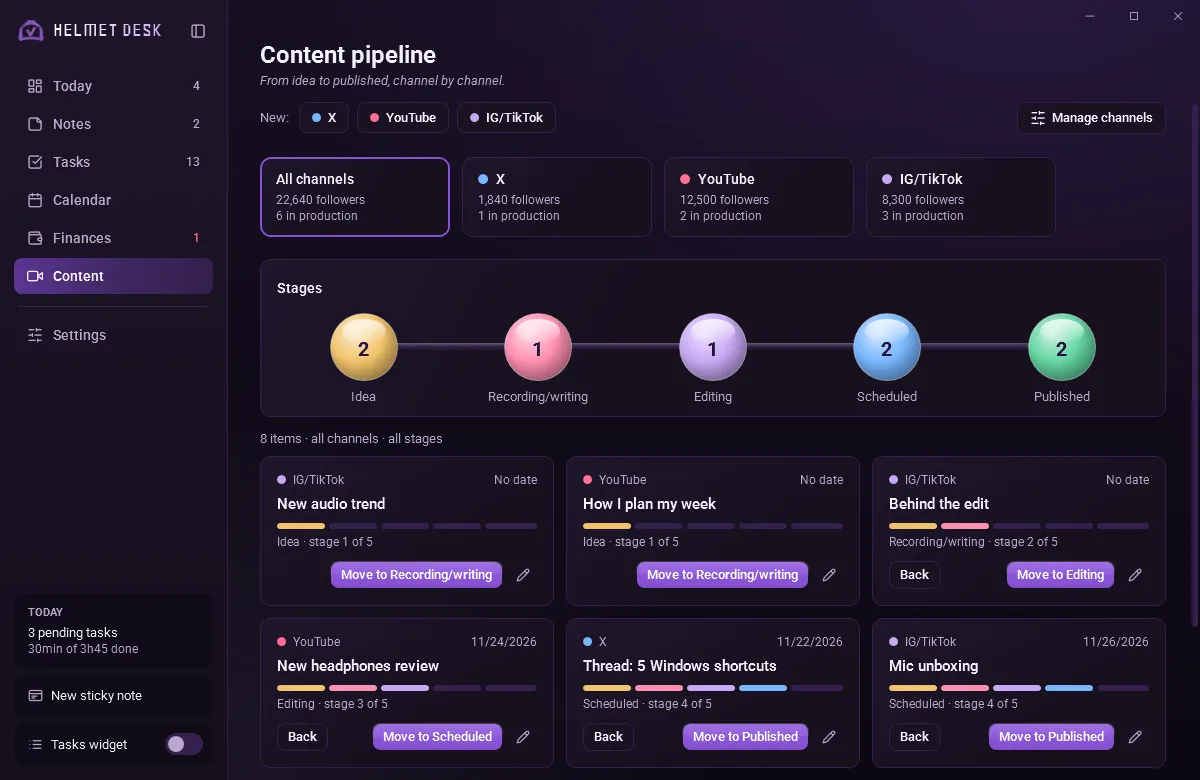
Content: the pipeline from idea to published
Violet Aero theme
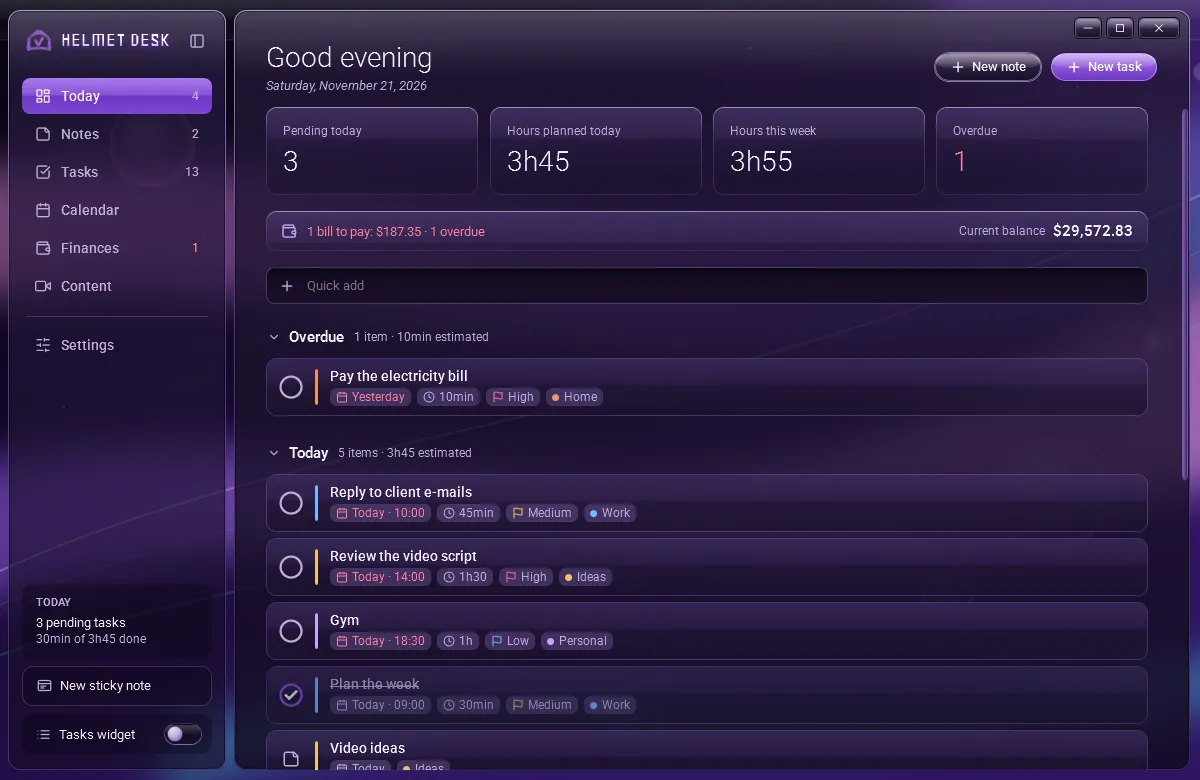
Today screen in the Violet Aero theme 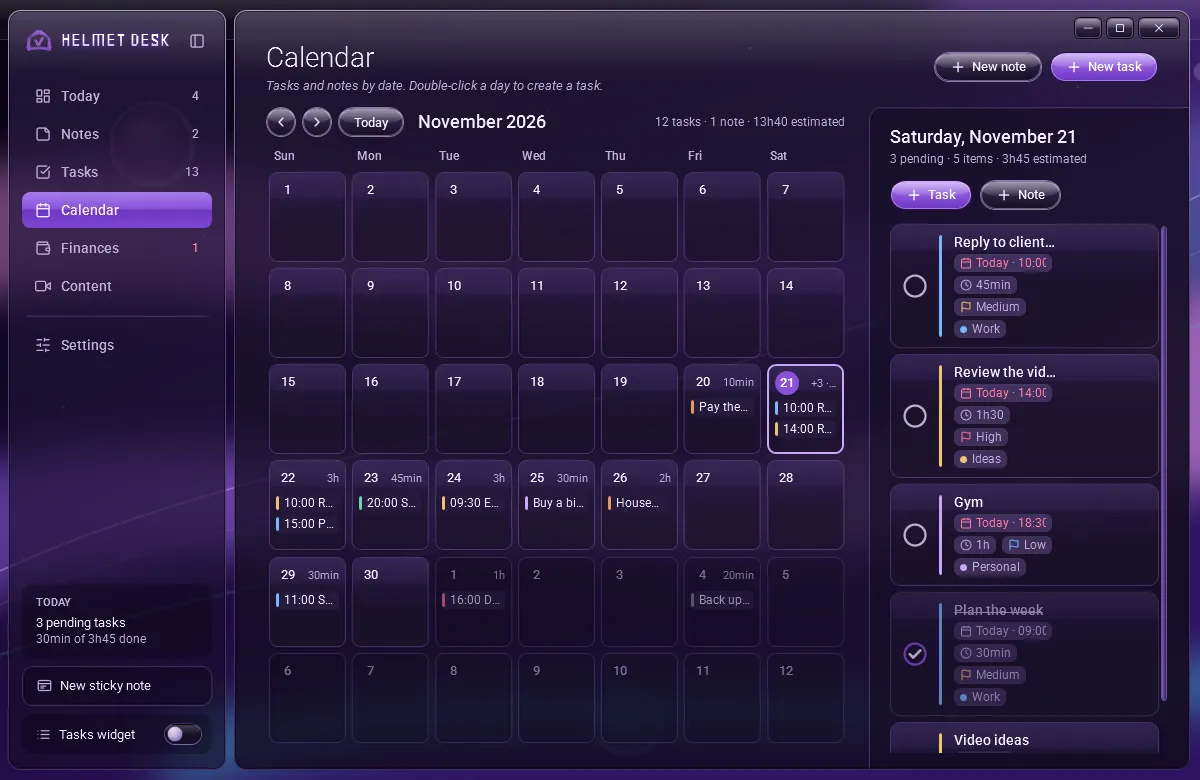
Calendar in the Violet Aero theme 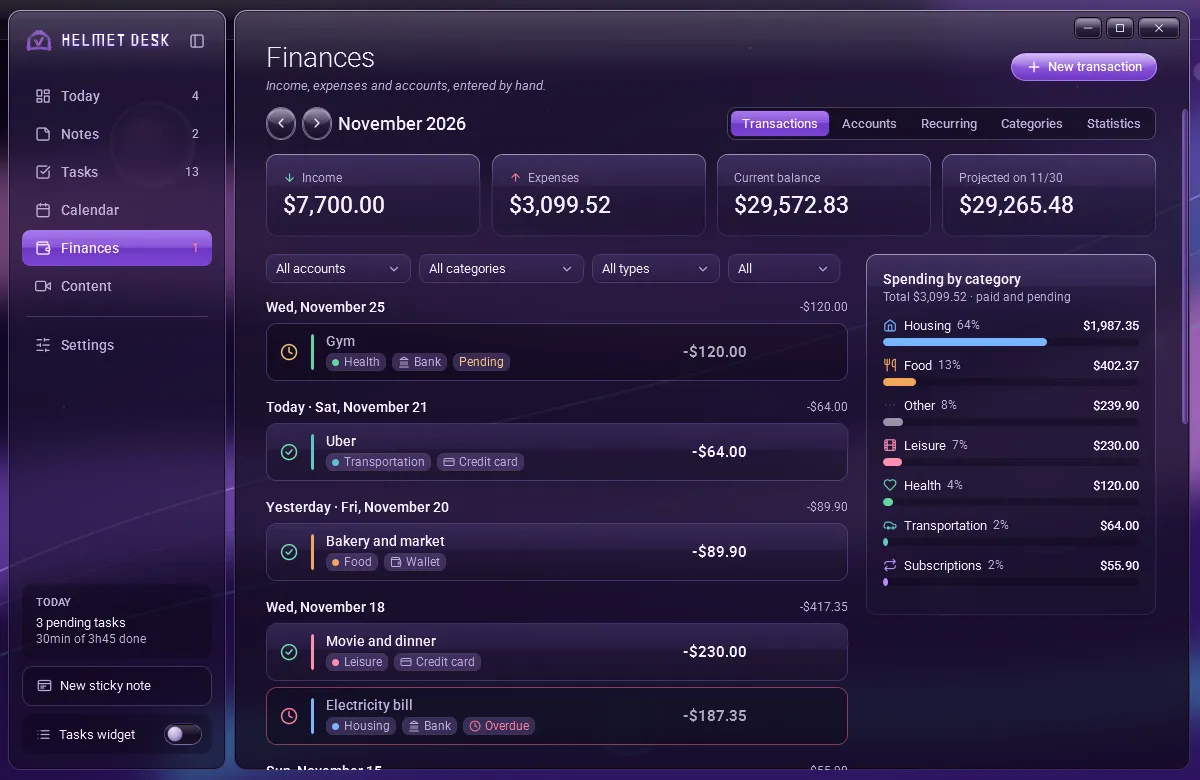
Finances in the Violet Aero theme 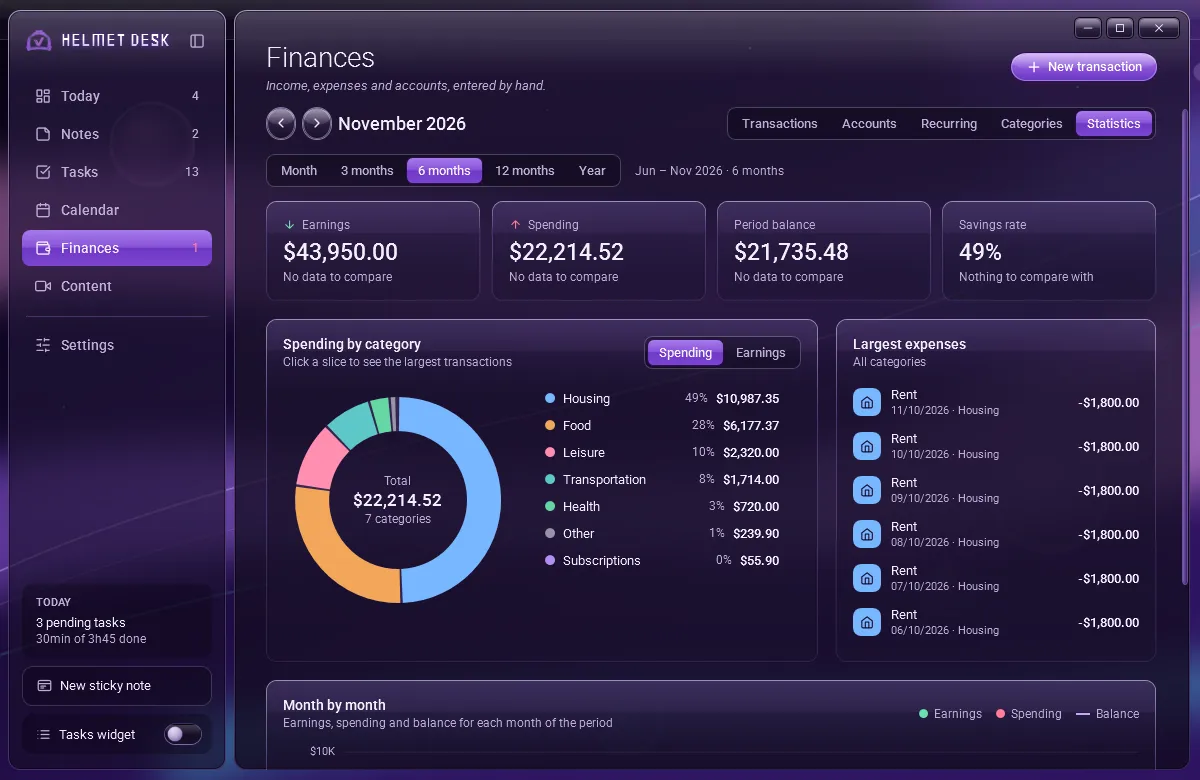
Statistics in the Violet Aero theme 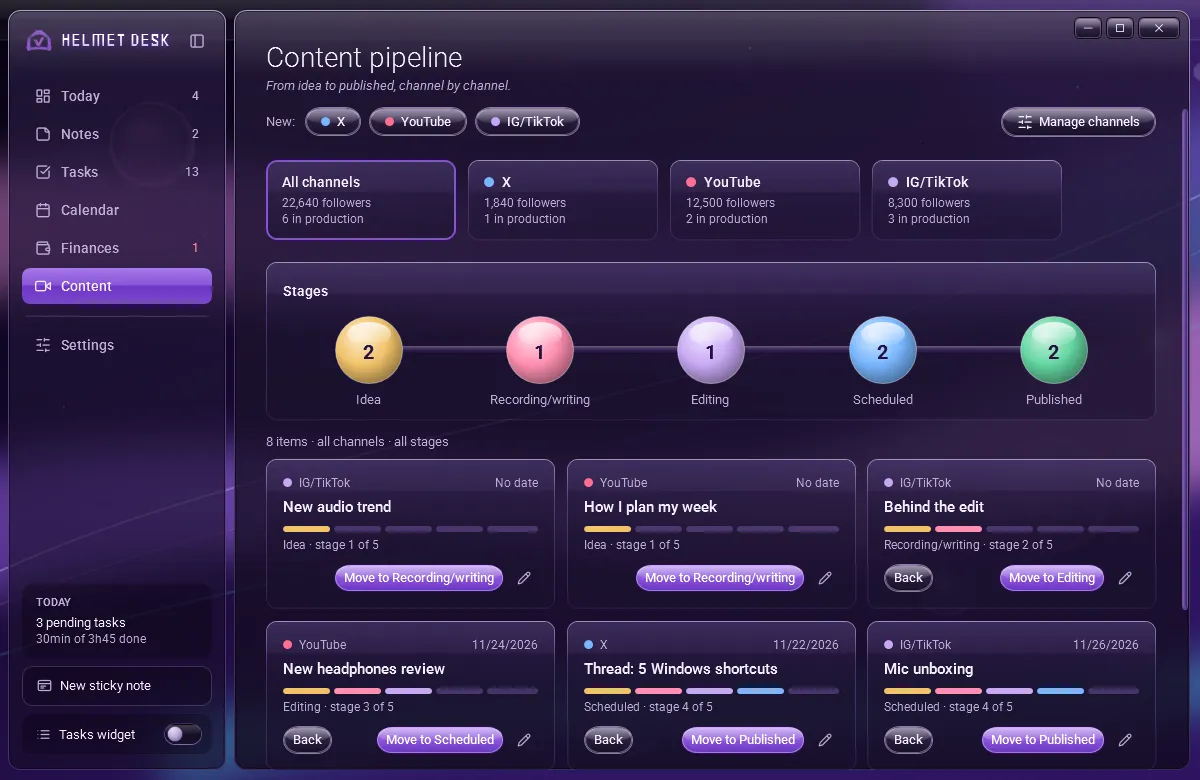
Content in the Violet Aero theme