Extension for Adobe Premiere Pro
Helmet DL
Downloads videos from the internet and imports them straight into your project.
FreeVersion 1.2.0
About
Helmet DL downloads videos from YouTube, TikTok, X, Instagram, Twitch and more than a thousand other sites supported by yt-dlp.
The file is saved in a "Helmet DL" folder next to your project and goes straight to the Project panel, inside a "Helmet DL" bin or at the root.
Features
- Paste a link and see a preview with title, duration and maximum resolution. Several links at once go into a queue.
- Video with audio, video only or audio only (WAV, MP3 320k, M4A or original).
- Quality from 144p to 8K, which also works for vertical videos (Shorts, TikTok, Reels).
- Remux to MP4, MOV or MKV with no quality loss, or re-encode to H.264, H.265 or ProRes 422 at a constant frame rate.
- Re-encode on the graphics card (NVIDIA, AMD or Intel), falling back to the processor automatically if it fails.
- Prefers formats Premiere can open (H.264 + AAC) when the site offers them, and warns you when a file uses a format Premiere usually can’t open.
- Whole playlists or just a section of a video.
- Browser cookies for private or age-restricted videos.
- Canceled or failed downloads leave no leftovers in the folder.
- Installs yt-dlp, FFmpeg and Deno on its own the first time, verifies each file before installing it and keeps yt-dlp up to date.
- Panel in English or Portuguese: switch in Options › Language / Idioma. It changes right away, without closing the panel, including error messages, download progress and the log.
Screenshots
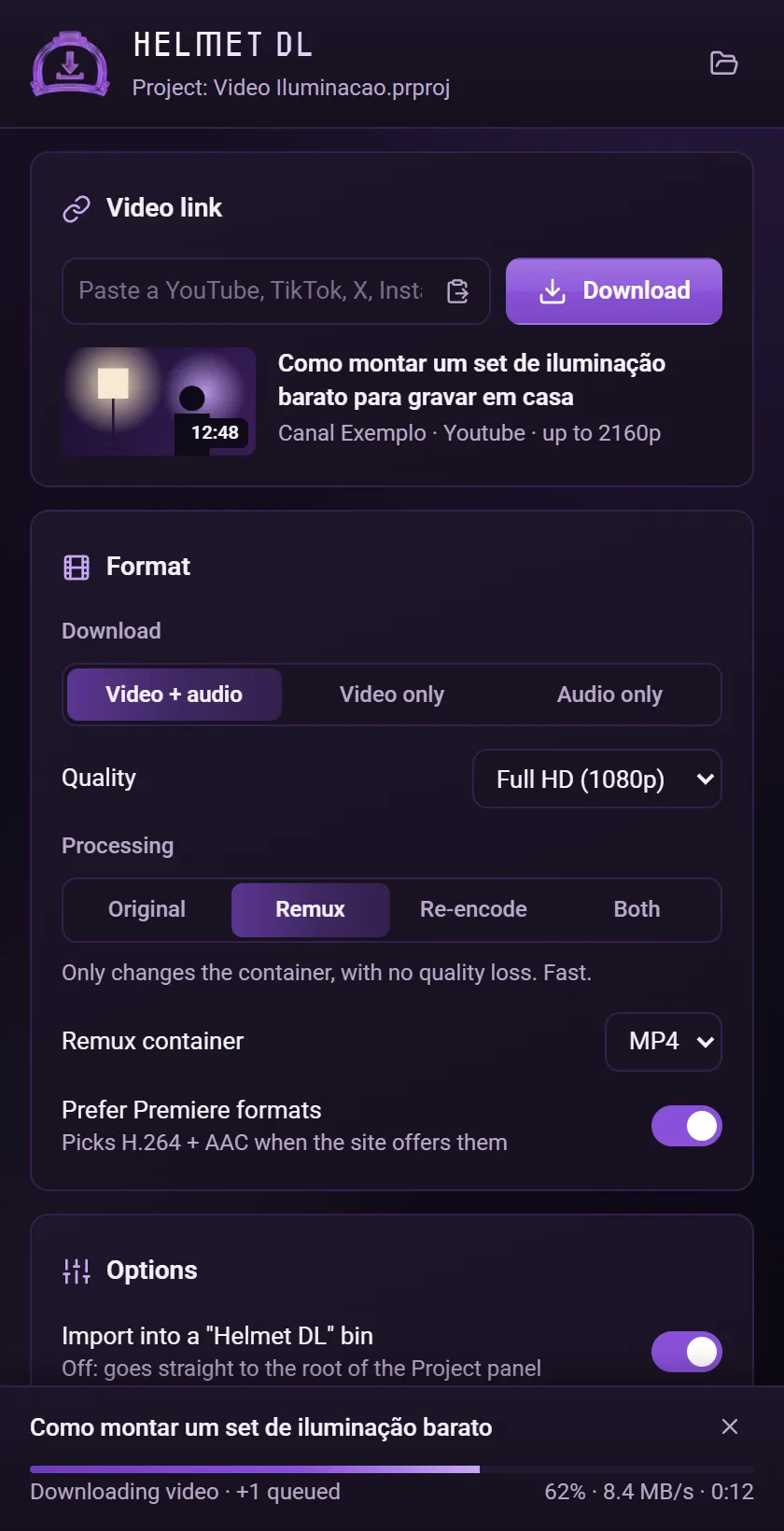
Panel: link preview, format and download queue