
Extension for Adobe Premiere Pro
Helmet Cutter
Finds the silences in your timeline and cuts them automatically.
FreeVersion 1.2.0
About
Helmet Cutter (formerly Silence Cutter) exports the timeline audio, finds the silences with FFmpeg and cuts right in Premiere: across the whole sequence or only on the selected clips.
Before the first cut, it can make a backup copy of the sequence. If you switch sequences halfway through, it stops without touching the other one.
Features
- Whole sequence or selected clips only: only those clips’ audio is analyzed, and the rest of the timeline can move along with them to stay in sync.
- Waveform preview: as you adjust the controls, the red area shows exactly what will be cut.
- Up to 64× zoom on the waveform, at 10 ms resolution.
- After cutting: remove and close the gaps (ripple) or just cut.
- Resulting audio on a single track or alternating between two tracks (A1, A2, A1…).
- Backup of the sequence before the first cut.
- Step-by-step progress with a cancel option. At the end, the log lists any clip that ended up out of place.
- Presets to save and reuse your settings.
- Downloads FFmpeg on its own the first time and verifies the file before using it. If Helmet DL has already downloaded FFmpeg, or it is already installed on your computer, that copy is reused.
- Panel in English or Portuguese: switch in the Tools card, under Language / Idioma. It changes right away, without closing the panel, and messages from Premiere follow the language you pick too.
Screenshots
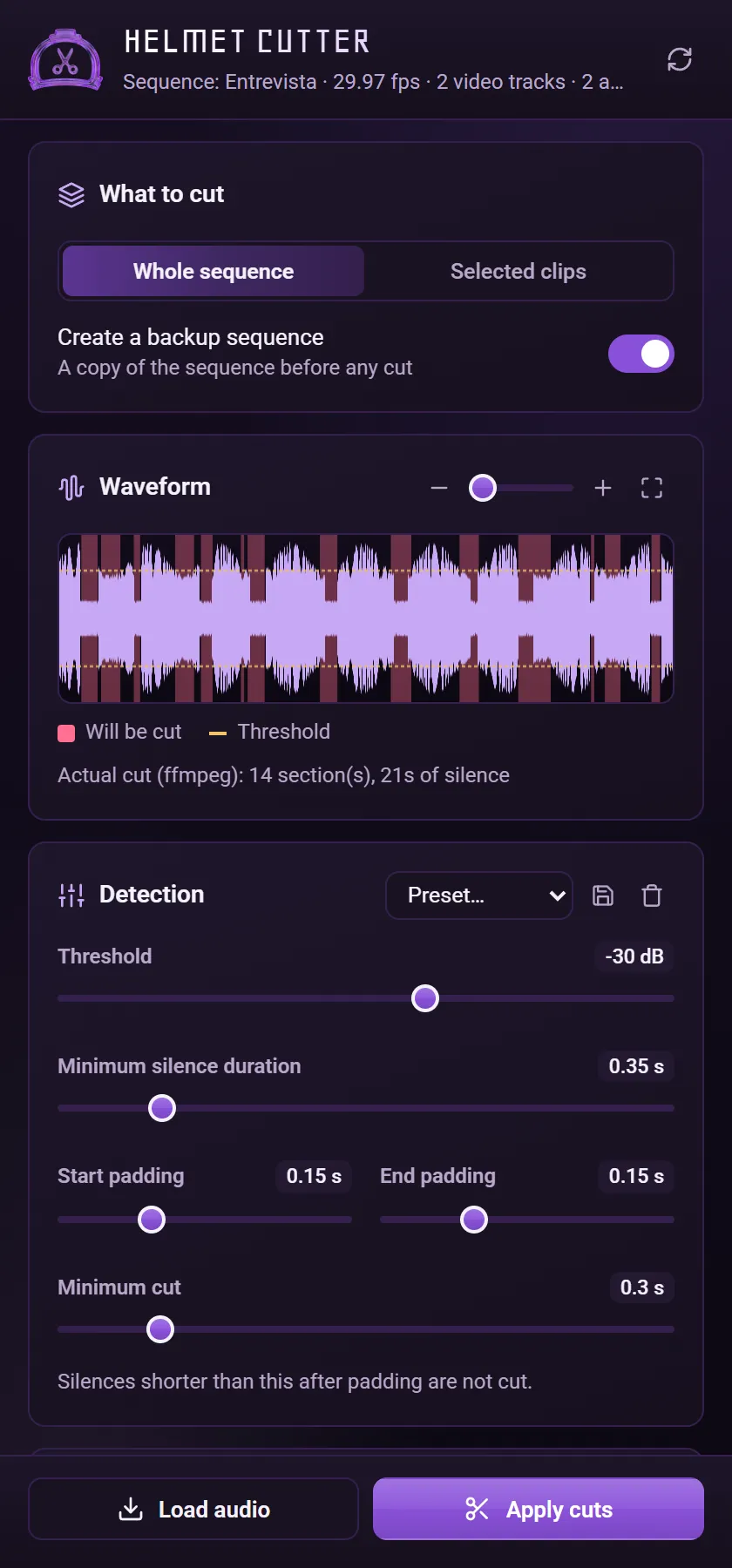
Panel: waveform with the silences that will be cut and the detection settings